
Production & Sandbox
Switch between your live Production dashboard and the Sandbox test environment straight from the sidebar.
Doitpay runs in two separate environments: Production (your live business) and Sandbox (a safe place to test). The switcher at the bottom of the sidebar lets you move between them at any time.
The switcher only redirects you to the other environment's URL. It does not copy data, move transactions, or change any settings.
Understanding the Two Environments
Production
Your live environment. Everything here reflects real merchants, real transactions, and real money. Settlements, reports, and invoices in Production are your actual business records.
Why it matters: Any action you take in Production affects live data and real funds.
Sandbox
A safe testing environment that mirrors the dashboard but uses test data only. Use it to try features, run test transactions, and train your team without any real-world impact.
Why it matters: Nothing you do in Sandbox affects your live business, so you can experiment freely.
Using the Switcher
You will find the switcher at the bottom of the left sidebar, below the menu items and separated by a thin divider. It shows two options side by side: Sandbox and Production.
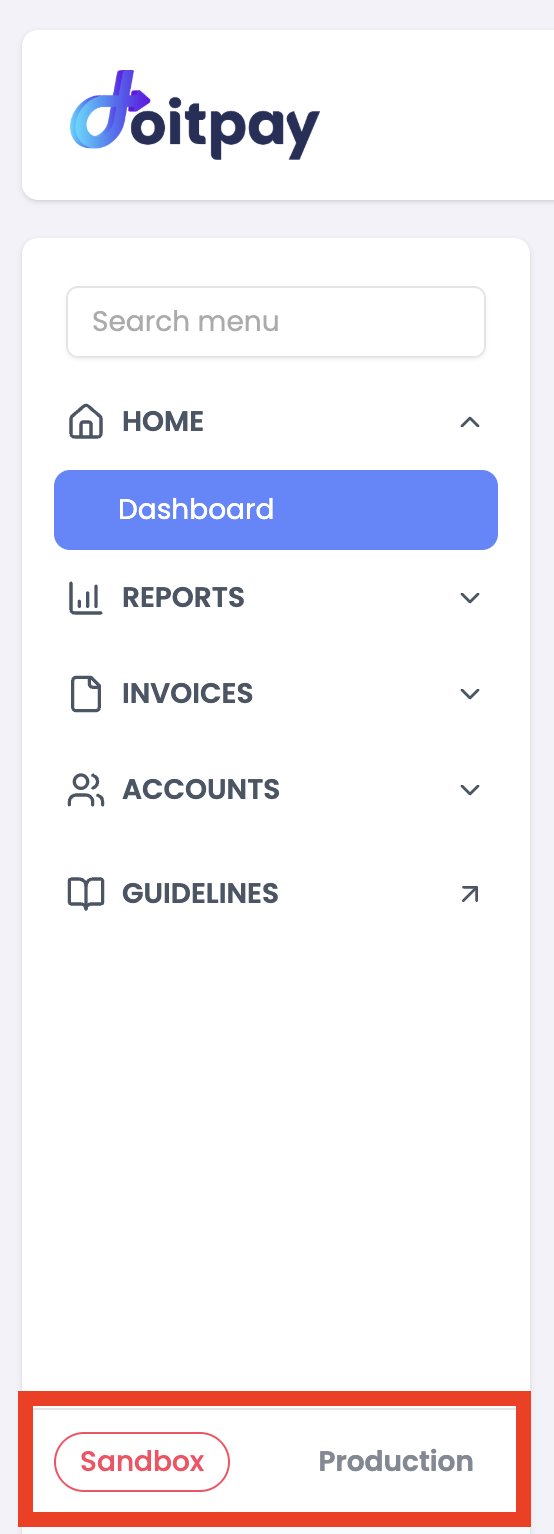
- The active environment appears as a pill-shaped button with a red border and red text.
- The inactive environment appears as plain dark-gray text with no border.
- Click the inactive option to switch to that environment.
When you click, Doitpay redirects you to the selected environment's URL. You are simply taken to the matching dashboard — nothing on your account changes.
The Sandbox Banner
Whenever you are in Sandbox, a banner appears at the top of the screen so you always know you are working with test data:
You're in Sandbox Mode. Move to Production ↗

The Move to Production link takes you straight to the live dashboard.
In Production, this banner does not appear. If you do not see the Sandbox banner, assume you are working with live data and real funds.
Common Questions
Q: Does switching move my data between environments?
No. The switcher only changes the URL you are viewing. Production and Sandbox keep completely separate data.
Q: Will I be logged out when I switch?
No. Switching simply redirects you to the other environment's dashboard.
Q: How do I know which environment I am in?
Check two things: the switcher in the sidebar (the active environment has the red pill), and the top of the screen. If you see the "You're in Sandbox Mode" banner, you are in Sandbox. No banner means you are in Production.
Q: Can I run test transactions in Production?
No. Use Sandbox for all testing. Transactions in Production are real and involve actual funds.